
notice
My HR homepage updates


The My HR homepage will be updated over the weekend of November 14–15, 2026. These changes include a refreshed layout and improved navigation.
Important notice:
A temporary issue is affecting access to UNITY My Time through My HR.
Alternative access paths to My Time are available via Carrefour. Learn more.
Homepage menu, banner and links
Updated homepage navigation menu
The homepage navigation menu has moved to a new hamburger button to the left of the Concordia logo at the top of the screen. To navigate within My HR, click on the hamburger button to expand your menu options.
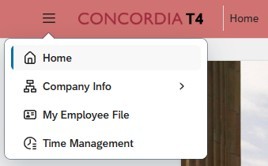 Updated navigation menu in the testing environment.
Changes to the homepage greeting banner, Quick Links and Quick Actions
The greeting banner at the top of the homepage has been reduced in size and displays a new background image. The Quick Links will remain just below the greeting, while the Quick Actions section will appear directly below the homepage greeting banner, aligned to the center of the homepage.
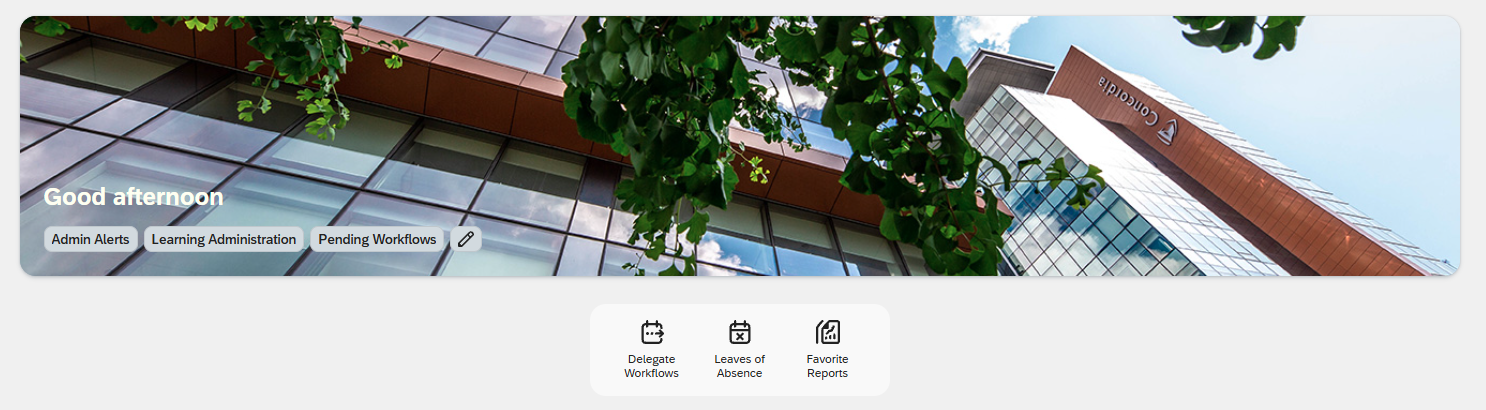 Preview of the updated greeting banner.
To do panel and important tasks
Removal of the To do panel
The To Do panel, previously accessible through the checkmark icon in the upper-right corner of the homepage, has been removed and will no longer be available following the upgrade.
 To do checkmark prior to the update.
Where to find your tasks
Important tasks and notifications remain accessible through the Needs Attention section on the My HR homepage. This section displays time-sensitive tasks and updates that require action. Selecting a card will direct you to the relevant page to review or complete the required action.
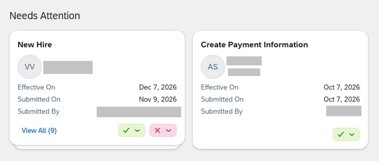 Samples of Needs Attention cards.